
The SoundGen apps for iPhone, iPad and Mac are not a web page in a wrapper. The interface is SwiftUI, and the sound comes from our own audio engine, written in Rust and linked into the app as a library. This post is about why we did it that way, and about two rules the engine enforces with tests — because rules that depend on everyone remembering them don't survive a busy month.
What the browser can't do
The web Studio runs on Web Audio, the audio API every modern browser ships. It is genuinely capable — SoundGen's web Studio runs synths, samplers, convolution reverb and dozens of effects on it — but some things a DAW is bought for are outside the browser's sandbox entirely:
- Choosing your audio interface and running it at a small buffer for low latency.
- Hosting Audio Unit, VST3 and CLAP plugins in the live mix. A web page cannot load native plugin code, and shouldn't be able to.
- Recording many inputs at once, each to its own track, sample-aligned.
- Talking to hardware: MIDI clock and MTC, control surfaces, separate headphone mixes on extra outputs.
Those aren't features waiting to be written for the web. They are the edges of the platform. A wrapper around the web Studio would have inherited every one of them, so the apps needed a different engine.
Why Rust, and why not Swift
On Apple platforms the obvious choice for an app is Swift, and the interface is Swift. The engine isn't, for two reasons.
The audio callback has rules Swift makes hard to keep. The function that fills the output buffer runs on a real-time thread a few hundred times a second, and it gets a few milliseconds each time. If it misses, you hear a click. Apple's own guidance is that this code must not allocate memory, take locks or call into the runtime. Swift's automatic reference counting does exactly those things behind the scenes; Rust lets you write code where none of it happens, and lets you check that it doesn't.
One engine, every platform. The same Rust code builds for macOS, iOS and iPadOS today, and it doesn't depend on any Apple framework for its maths, so a Windows build doesn't mean a second engine.
The engine has no third-party dependencies and does no I/O of its own. Its core tests run headless — no sound card, no files, no network — in well under a second.
Rule one: playback and export are the same code
The most common complaint about DAWs, ours included, is "the export doesn't sound like what I heard." It usually happens because there are two renderers: a real-time one for playback and an offline one for bouncing, written at different times by different people, and they drift. One forgets the master bus, or an automation lane, or a time-stretch setting.
So the native engine has exactly one renderer. Playback calls it a block at a time as the sound card asks; export calls the same function as fast as the machine allows. There is no second implementation to drift. Conformance tests pin it: the same project rendered live and offline must come out sample-identical.
We also hold the engine to the web Studio. A differential harness renders the same project through both and subtracts one from the other. When they agree, what's left is at the floor of 32-bit floating-point precision — around −149 dB, far below anything audible — and each effect ported to the native engine is checked the same way against its web version.
Rule two: nothing on the audio thread allocates, locks or panics
The real-time rule is easy to state and easy to break by accident. A log line, a growing list or a lock taken to update a meter can each stall the audio thread.
So the test suite installs a counting memory allocator and runs the audio callback under it. If a single allocation or free happens on the audio thread, the test fails and names it. On its very first run it caught a real one: memory being allocated and freed while a device lock was held — exactly the kind of bug that sounds fine on a fast machine and clicks on a busy one.
Everything the interface does — moving a fader, adding a clip, loading a plugin — is prepared off the audio thread and handed over in one step, so the callback only ever reads finished data.
What it buys
- Headroom. In our benchmark on a Mac, 512 tracks with automation on every fader and pan render in about 18% of one core. Block size barely changes the cost, which is what makes small buffers — and low latency — practical.
- Plugins in the live mix. On the Mac, Audio Unit, CLAP and VST3 effects and instruments run in the engine, with their editors, automation, saved state and latency compensation. Third-party plugins live in your process, so the app saves before loading a plugin for the first time and sets aside one that crashed it, opening your project with that slot passed through.
- Exports you can trust, because there is only one renderer to trust.
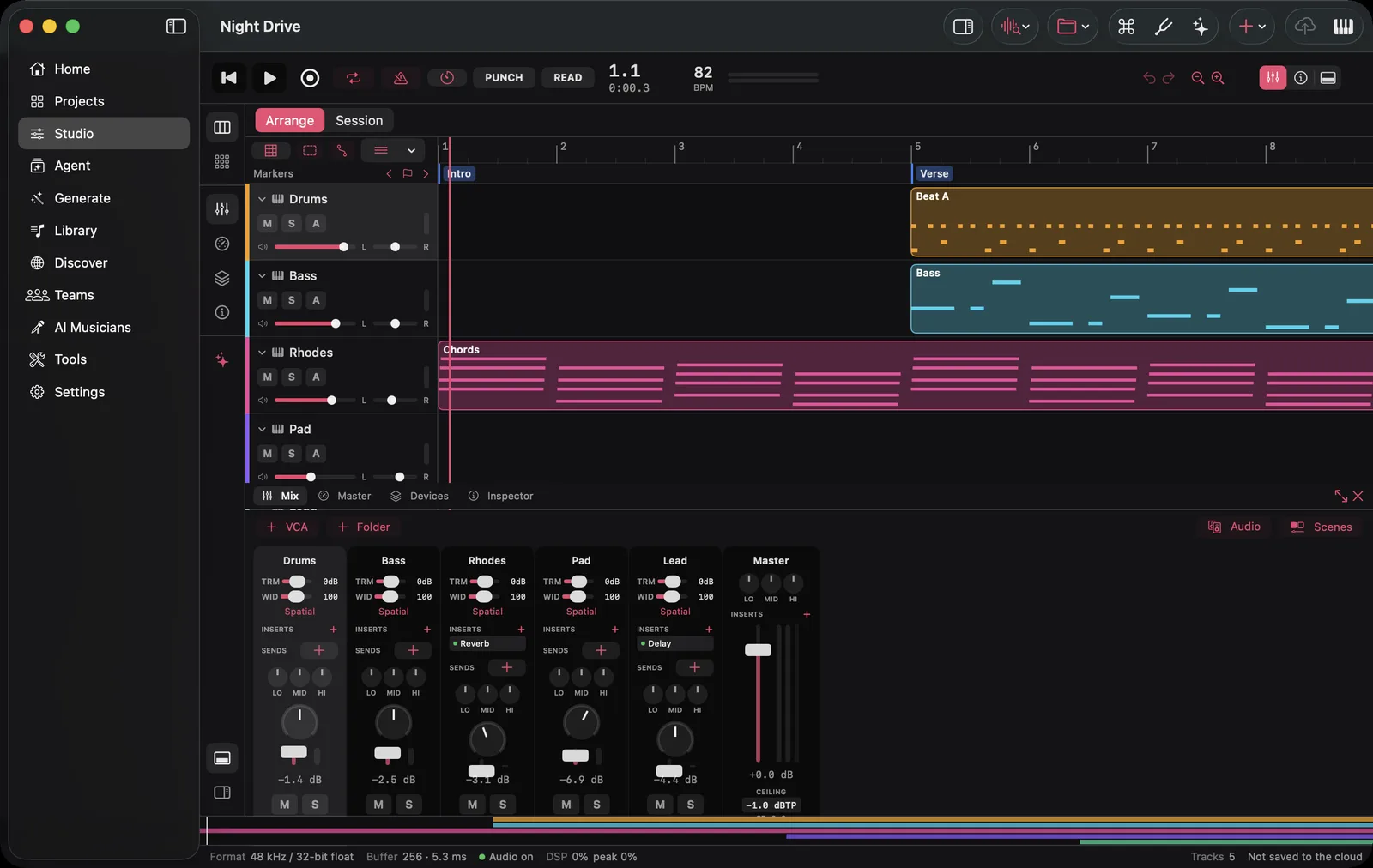
Every strip in this mixer — inserts, sends, EQ, the master — runs in the native engine, and the export renders through the same code.
What stays on the web
The web Studio isn't going anywhere — it's still the fastest way to start, on any computer, with nothing to install. The apps open the same projects, and the engine is held to the web's sound by test, so you can move between them mid-song.
The iPhone and iPad apps are in public beta on TestFlight, and the Mac app is on the Download page. For what's in them, see SoundGen Is Now on iPhone, iPad and Mac.
SoundGen Team
Written by the team building SoundGen

