
SoundGen now runs as a native app on iPhone, iPad and Mac. It is the same Studio you know from the browser — tracks, clips, MIDI, effects, mixer, master, generation — rebuilt in SwiftUI on top of a native audio engine, and it opens the same projects you already have in your account. The iPhone and iPad app is in public beta on TestFlight, and the native Mac app is a beta download.
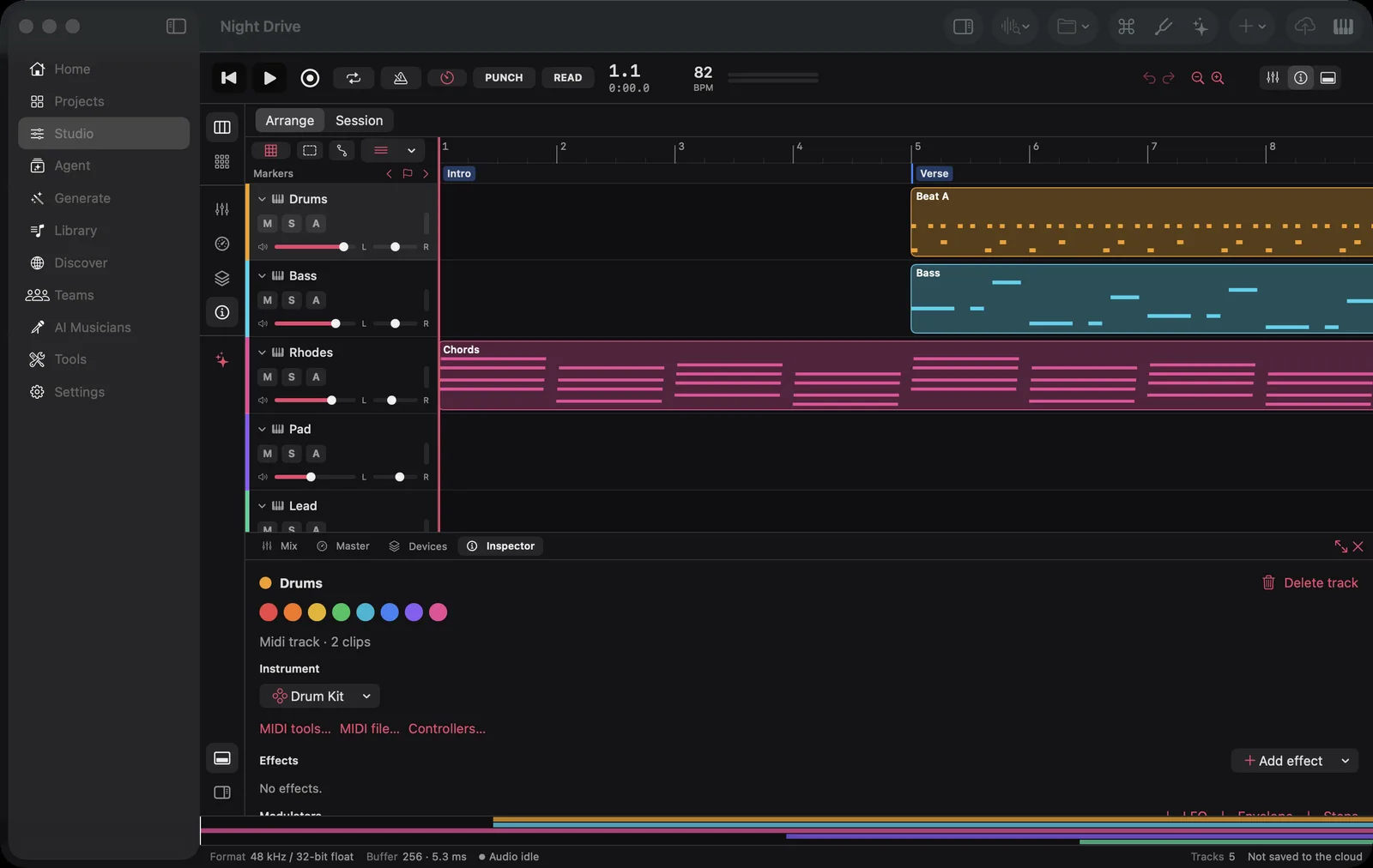
The Studio in the Mac app, with a five-track project open.
- iPhone and iPad: join the beta at testflight.apple.com/join/ewjHgtKN. Needs iOS 16 or later.
- Mac: download it from the Download page. Needs macOS 13 or later, on Apple silicon or Intel.
One project, three screens
There is no separate "mobile project" format. A project you start in the browser opens on your phone, and an edit made on your Mac is there when you open the web Studio. Saves are compare-and-set: if two of your devices changed the same project, SoundGen never quietly overwrites the newer one — a device with nothing of its own takes the newer copy, and one with its own changes asks you which to keep.
You can also open a project file straight from Files, Finder or the share sheet without signing in.
What's in the apps
The apps are a port of the web Studio, not a cut-down companion. Among what's there today:
- Arrangement and editing. Audio and MIDI clips, a piano roll, notation, step sequencer, drum machine, markers, comping takes, and undo.
- Instruments. The built-in synths — wavetable, granular and Sculpture — and the SFZ sampler with the free instrument library.
- Effects and mixing. The effects rack with the Character effects, convolution reverb, vocoder and modulators; a full mixer with buses, sends, folders and VCAs; mixer scenes with A/B; and the master section with a mastering view.
- Recording. Arm several audio tracks and each records from its own interface input in one pass, with input monitoring. MIDI controllers play instruments live, and MIDI learn maps a knob to almost anything.
- AI tools. Generate music and sound effects, stem separation, AI Denoise, chord and key detection, audio-to-MIDI, vocal tuning, AI Cover and more, using the same credits as the web.
- Export. Song or loop, full mix or per-track stems, as WAV, FLAC or AAC from 44.1 to 96 kHz.
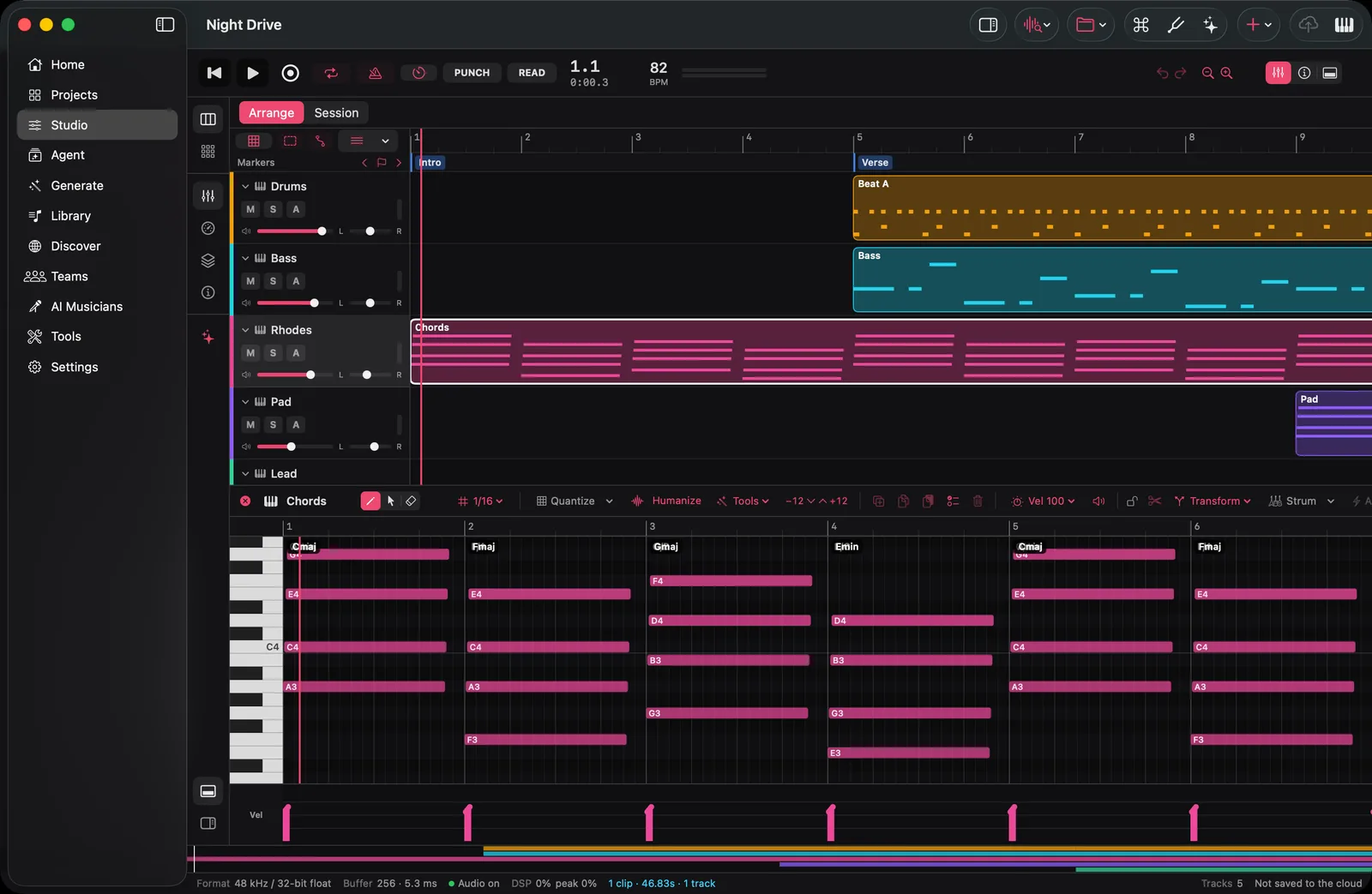
The piano roll, with chord names detected over the part.
On iPad and Mac the Studio uses the desktop layout — a rail on the left, a bottom dock and a browser on the right. On iPhone it switches to a compact layout that puts the arrangement first and fits the transport on one row.
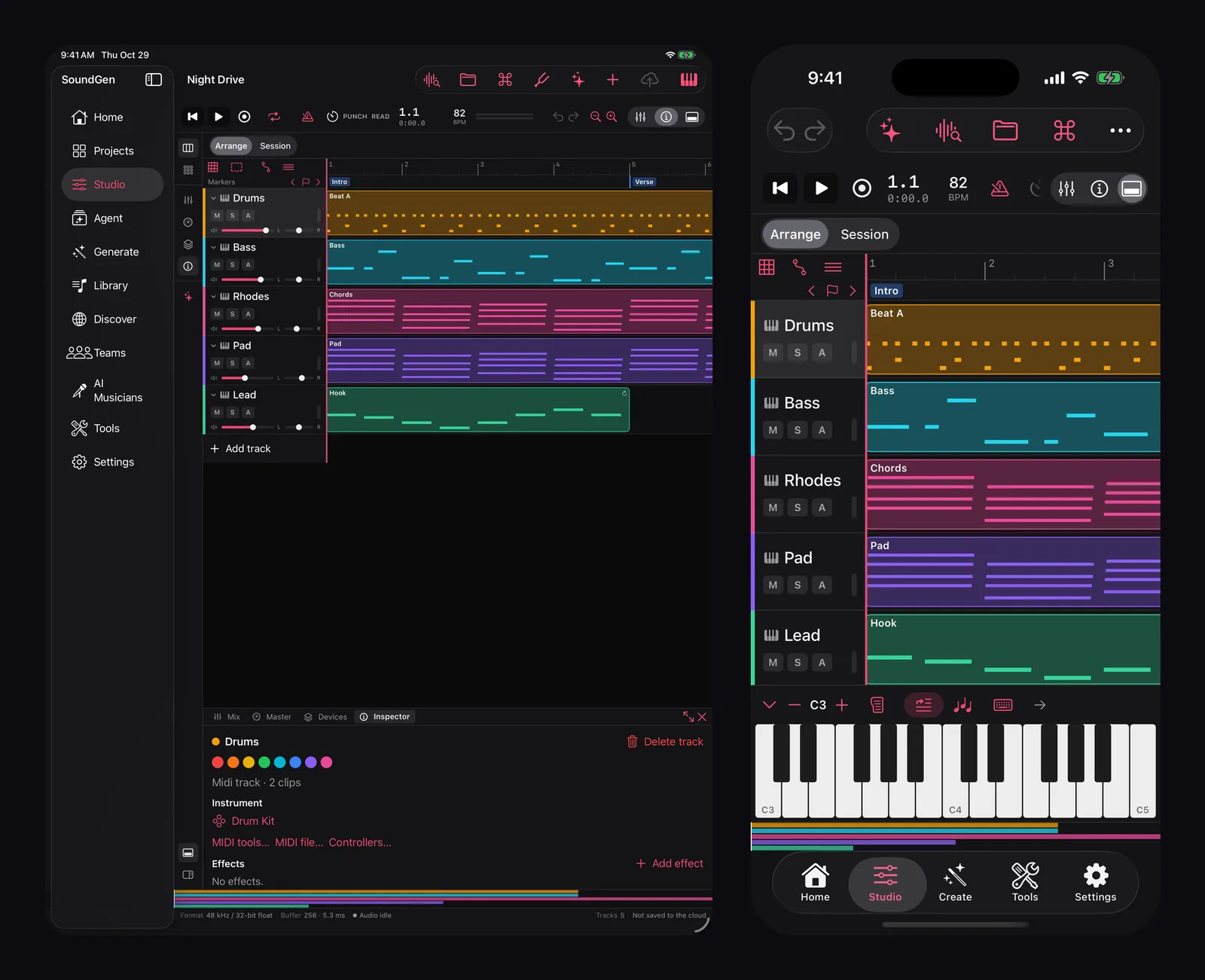
The same project on iPad (desktop layout) and iPhone (compact layout, with the on-screen keyboard).
Built for the device it runs on
The web Studio runs on the browser's Web Audio engine. The apps run on SoundGen's own audio engine, written in Rust, with one renderer shared by playback and export — so what you hear is what you export, bit for bit. We wrote up why in Why We Built a Native Audio Engine for SoundGen.
On a Mac that engine can do what a browser can't:
- Your audio interface, at the buffer size you choose, with reported device latency compensated.
- Audio Unit, CLAP and VST3 plugins live in the mix, with their own editor windows, automation and saved state.
- Hardware. MIDI clock and MTC in and out, MMC, control surfaces, and cue mixes on extra output pairs for headphone sends.
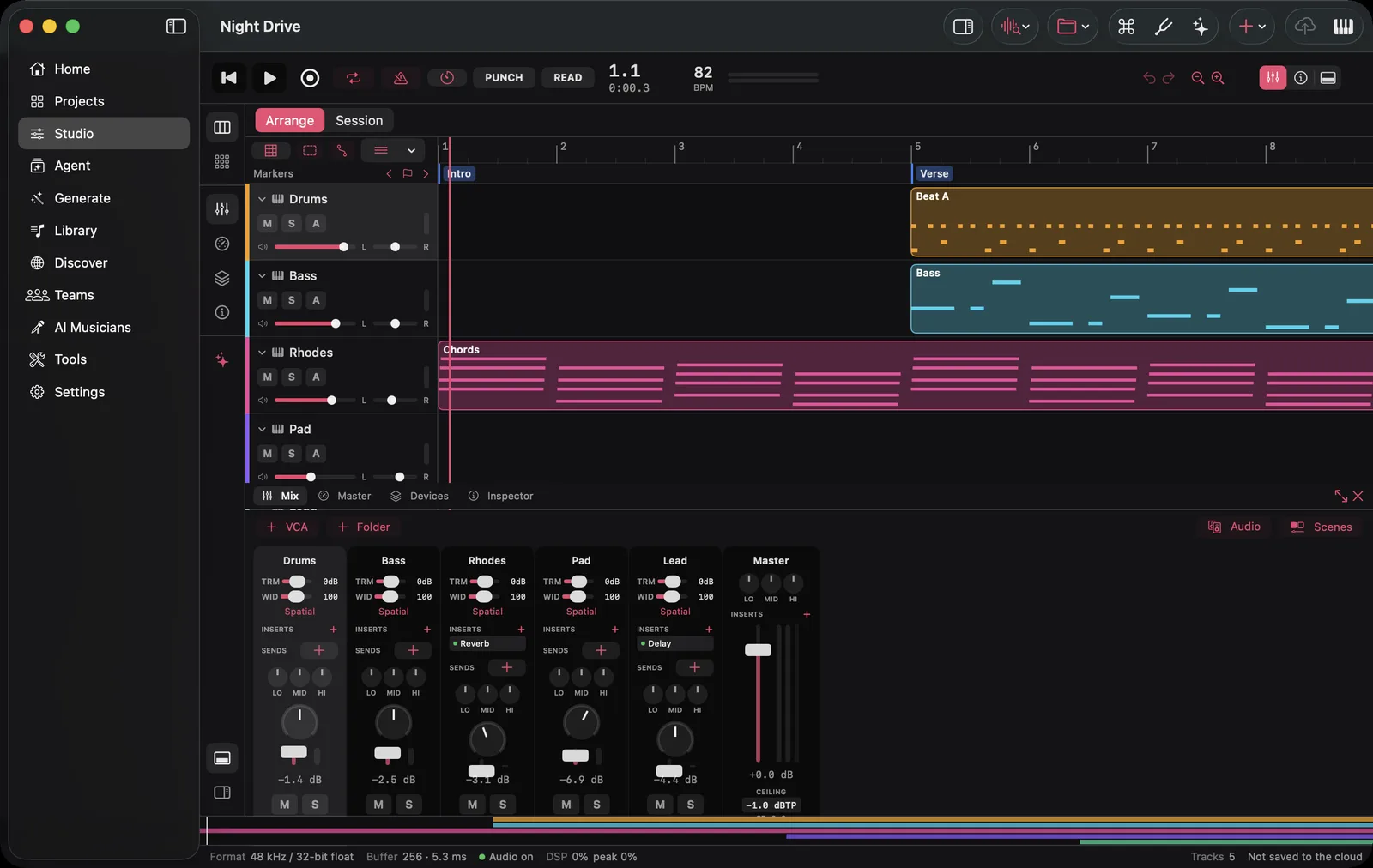
The mixer: inserts, sends and EQ on every strip, and the master with its true-peak ceiling.
What "beta" means here
These are first releases, and some things are still on their way:
- Buying credits is done on the web for now. The iPhone and iPad app shows your balance and history, and the Mac app's Buy credits opens the web pricing page.
- Plugins are a Mac feature. iPhone and iPad don't load third-party plugins yet.
- Live collaboration — presence and other people's edits arriving as they happen — is in the apps but newer than the rest, so tell us if it misbehaves.
If something breaks, use the bug report in the app, or the screenshot feedback built into TestFlight. Both come straight to us.
Get started
- iPhone or iPad: install Apple's TestFlight app, open the beta link on the device, tap Accept, then Install.
- Mac: download from the Download page, drag SoundGen to Applications and open it.
- Sign in with the account you use on the web — Google, Apple, Microsoft, 1Profile or email — and your projects are there.
New to SoundGen? Every new account starts with free credits, no card needed. If you'd like a guided first session, Make a Track on Your iPhone in 10 Minutes walks through one from prompt to export.
SoundGen Team
Written by the team building SoundGen

