
You can go from an idea to an exported track on your iPhone with SoundGen in about ten minutes: generate a starting idea, open it in the Studio, add a part of your own on a built-in instrument, balance the mix and export it. This guide walks through one session. Everything here works on iPad too, with more room.
The app is in public beta. If you don't have it yet, install Apple's TestFlight app, then open testflight.apple.com/join/ewjHgtKN on your phone and tap Install. It needs iOS 16 or later.
1. Sign in (1 minute)
Open SoundGen and sign in with Google, Apple, Microsoft, 1Profile or email — the same account you use on the web, if you have one. New accounts start with free credits; generating music uses them, and everything else in this guide is free.
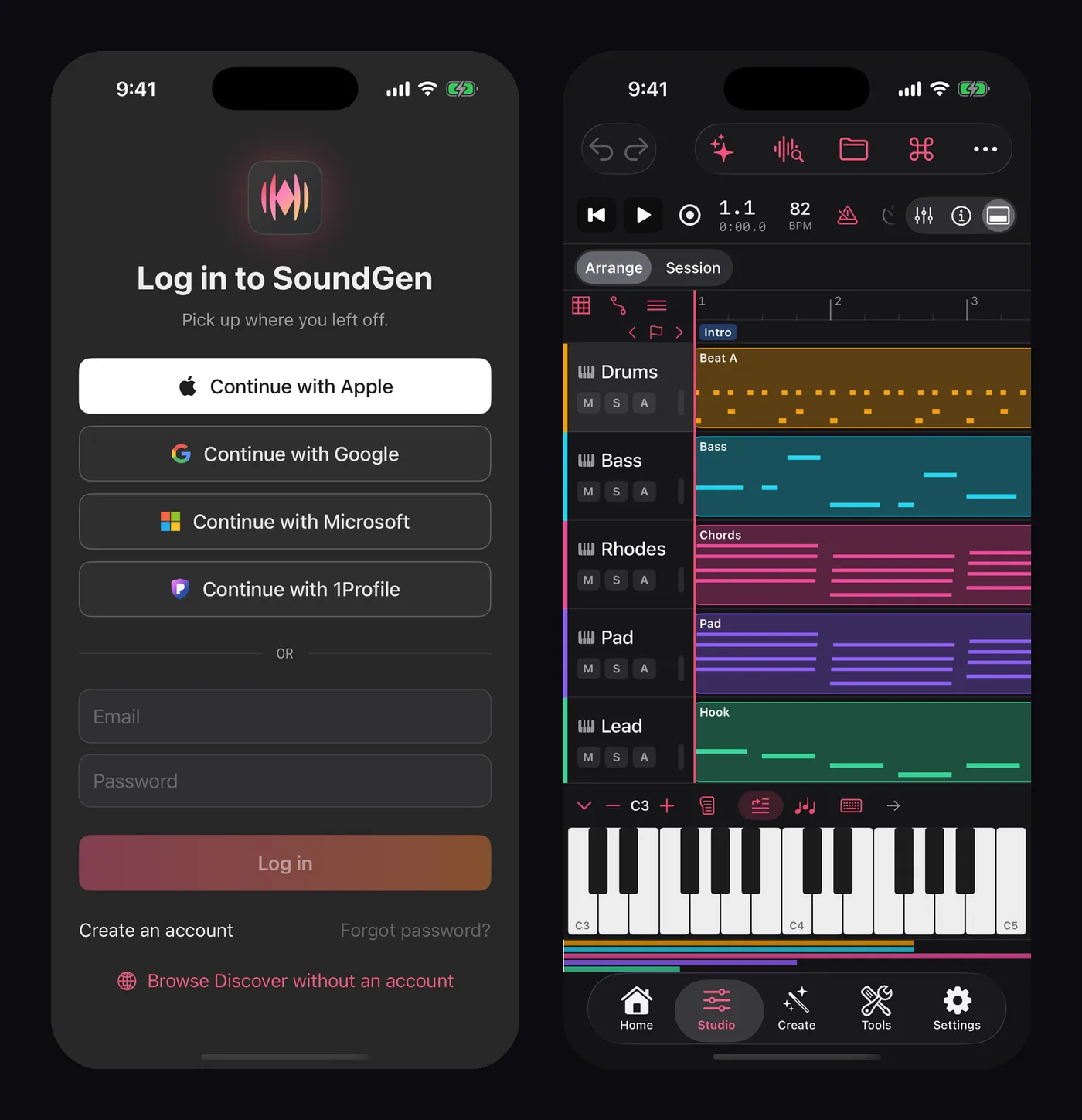
Sign in, and the Studio is a tap away. Here, a finished session with the on-screen keyboard open.
2. Generate a starting idea (2 minutes)
Tap Generate and describe what you want. Specific prompts work best: a genre, a feel, two or three instruments and a tempo.
dusty lo-fi hip hop, warm Rhodes chords, vinyl crackle, laid-back drums, 82 BPM
A few choices are worth making before you tap Generate:
- Instrumental or With vocals. For a backing track you'll build on, choose Instrumental.
- Key and tempo. Set them here and the track comes back where you asked, which makes adding your own parts easier.
- Model. Each option says what it's good at and what you may do with the result.
When it's done, play it. Not quite right? Another take tries the same settings again, and Refine… lets you adjust the prompt. When you like it, tap Open in Studio.
3. Find your way around the Studio (1 minute)
On iPhone the Studio puts the arrangement first: tracks run down the screen and time runs across. The transport — play, record, loop, tempo — sits on a single scrolling row. Panes such as the mixer and the effects rack open over the bottom of the arrangement when you need them and close again when you don't.
Your generated track is now an audio clip on its own track, at the project's tempo.
4. Add a part of your own (3 minutes)
Add a MIDI track and pick an instrument. The built-in wavetable synth is a good start for a bass or a pad, and the sampler's grand piano works well over lo-fi.
Create a clip and open the piano roll. Tap in a few notes — a root note on each chord change is enough for a bass line. Play it back against the generated track and move notes until it sits.
If you have a MIDI keyboard, connect it to your phone with a USB adapter and play: SoundGen's instruments respond to it directly, and you can record what you play.
5. Mix it (2 minutes)
Open the mixer. Three moves do most of the work:
- Balance. Bring your new part up until you can hear it clearly, then back a little. Generated tracks are often loud, so you may need to turn that one down instead.
- Space. Open the effects rack on your new track and add a reverb. A little goes a long way on a phone speaker; check it on headphones.
- Glue. On the master, a gentle compressor or the limiter brings the whole mix up to a comfortable level.
6. Export (1 minute)
Tap Export. Choose the whole song or just the loop, and the format: WAV for the best quality, AAC for a small file to send. You can also export each track as its own stem.
When it's rendered, tap Share to save it to Files, AirDrop it or send it to another app.
Keep going on your computer
Everything you did is saved to your account. Open the same project in the web Studio or the Mac app to keep working on a bigger screen — with plugins, an audio interface and a full-size keyboard if you have them.
For more on what the apps can do, see SoundGen Is Now on iPhone, iPad and Mac.
SoundGen Team
Written by the team building SoundGen

